


A good speaker headshot looks like you as you are now, reads clearly at thumbnail size, and suits the stage you are about to step onto. It will be used on event websites, in printed programmes, on slides and in press packs, so it has to work small, large and cropped. Below we cover what to wear, how to pose, whether to smile, which files to send, and how to prepare so the session runs smoothly.
Key takeaways
- Your headshot should look like you today, not you five years ago. Organisers and audiences notice when it doesn’t.
- Pick solid, mid-tone clothing and check how the shot looks at the size of a postage stamp, because that is how it is often first seen.
- Ask for a few crops and expressions: one formal, one warmer, one in landscape for banners and slides.
- Send organisers a high-quality JPG or PNG with a clear file name, such as FirstName-LastName-Headshot.jpg.
- Plan the session before the day. A short brief and a shot list save time and make the images easier to use.
Table of Contents
- Why speakers need a proper headshot
- What makes a good speaker headshot
- What to wear
- Poses that work for speakers
- Should you smile?
- Personality headshots
- Choosing images for different uses
- Files, names and sending to organisers
- Preparing for your session
- Our perspective: what we see from speakers
- Book a speaker headshot session in Leeds
- FAQ
- Sources
Why speakers need a proper headshot
Your photo is usually the first thing an organiser, attendee or journalist sees of you. It sits next to your bio on the event page, and it often decides whether someone reads on. Speaker-focused guidance lists the main jobs a headshot does: it creates a first impression, supports your credibility, builds recognition, helps you appear in search results, and gets used on event listings, brochures and media outreach.
That last point matters in practice. A headshot is rarely used once. The same image might appear on:
- the conference website and the printed programme
- the slide that introduces you on the day
- social posts announcing your session
- your own website, speaker page and LinkedIn profile
- press releases and event write-ups
A phone snap cropped from a group photo will struggle across all of those. A planned portrait, shot with room around the head and a clean background, gives designers something they can actually work with.
What makes a good speaker headshot
Think of it as a short list of questions.
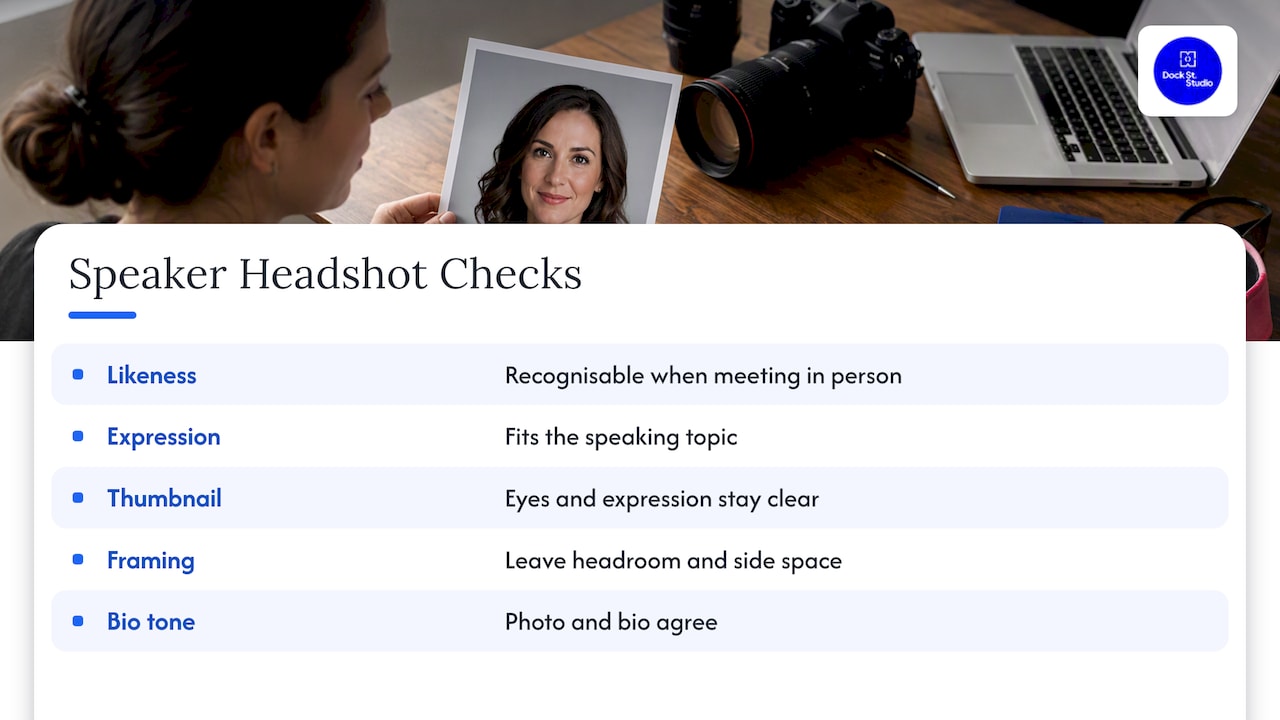
Does it look like you? If someone meets you at the registration desk, they should recognise you from the photo. Update it when your hair, glasses or general look changes noticeably.
Does the expression fit what you speak about? A keynote on leadership in a crisis and a workshop on creative play do not call for the same face. Credibility and approachability both matter, but the balance shifts with the topic.
Does it survive being small? Shrink it to the size of a thumbnail. Can you still see your eyes and read your expression? If not, the framing is too wide or the background too busy.
Can it be cropped? Designers will crop to squares, circles and tall rectangles. Leave some headroom and space at the sides so nobody has to cut through your shoulders or the top of your head.
Does it match your bio? A very formal portrait paired with a chatty, first-person bio can feel mismatched. Decide on the tone of your whole speaker profile and make the photo and the words agree.
Props, hands and busy backdrops
Keep the headshot a headshot. Hands on chin, microphones, lanyards and props make it harder to use and date it quickly. If you want to show yourself in action, that is a different image, and we would shoot it separately.
What to wear
We cover this in more depth in our guides on what to wear for headshots and the headshot dress code and 72-hour checklist. The short version for speakers:
- Choose solid colours or restrained patterns. Mid-tones such as blue, green, burgundy, charcoal and warm neutrals usually photograph reliably.
- Avoid very fine stripes and tight checks. They can shimmer on screen, an effect called moiré.
- Be careful with pure black and bright white. Black can swallow detail and white can pull attention away from your face.
- Check the neckline, collar, lapels and sleeves. Make sure they sit cleanly and nothing is twisted or creased.
- Wear something you have already stood and moved in. Speakers gesture, and a jacket that rides up when you lift your arms will show in the photo.
If you speak on stage in a particular style, such as a smart jacket or a branded top, bring that and a second option. Having two looks in a single session is cheap insurance, and it gives you one image for formal programmes and another for social media.
If you want a polished finish, our note on makeup for headshots explains what holds up under studio light.
Poses that work for speakers
A pose that feels slightly awkward in the mirror often looks natural on camera, and the reverse is also true. A few reliable starting points:
- Angle the body, face the lens. Turn your shoulders slightly away from the camera, then bring your face back to it. This is more flattering than a straight-on stance.
- Lean in a touch. A small forward tilt from the hips brings energy and warmth to the face.
- Keep the chin level, then slightly forward. It defines the jawline without making you look as if you are peering down.
- Let the shoulders drop. Roll them back and down after you have taken a breath. Tension shows quickly.
- Think about the person in the audience. Look at the lens as though it is someone in the third row you want to reassure.
Our guide to how to pose headshots goes through these in more detail. In the studio we show you the back of the camera as we go, so you can see what is working and adjust.
Should you smile?
There is no single rule. Speakers tend to want to look both capable and approachable, and the right expression depends on the room you work in.
- A relaxed, closed or lightly open smile suits most training, coaching, wellbeing and creative speakers.
- A calmer, more neutral expression with soft eyes can suit technical, financial or serious policy subjects.
- A full, open smile works well for community, motivational and entertainment settings.
The practical approach is to shoot a range and choose afterwards. We usually take a run of images from serious to warm, because the in-between expressions are often the best ones. Think of something that genuinely amuses you rather than saying a word that forces a smile. Forced smiles show around the eyes.
Personality headshots
A personality headshot is a more expressive, less corporate portrait. It might involve a bolder background, a laugh, a gesture or a more informal location. Speakers use these when their brand is part of the pitch: a comedian-turned-trainer, a creative coach, a podcast host or a founder with a strong public voice.

It is wise to have both. A classic headshot is the safe image organisers can drop anywhere. A personality image gives your website, social media and promotional material some life. If you only have the budget for one session, ask for both styles to be covered within it.
Choosing images for different uses
Do not pick one image and use it everywhere. A short shortlist saves you from last-minute requests from organisers:
| Use | What to choose |
|---|---|
| Conference programme and website | Formal or neutral expression, tight crop, plain background |
| Slides and stage introductions | Landscape or wide crop with space for text |
| Social media and LinkedIn | Warmer expression, square-friendly crop |
| Press and media | Clean, high-quality image, plus a second relaxed option |
| Personal website and speaker page | Your best personality shot alongside the formal one |
Before you send anything, look at it small. If your face is not obvious at thumbnail size, choose a tighter crop.
Files, names and sending to organisers
A lot of headshots lose their impact at the final step. Send organisers a JPG at maximum quality or a PNG, and name the file clearly, for example FirstName-LastName-Headshot.jpg. A generic name like IMG_4521.jpg gets lost in an organiser’s folder.
If an event asks for specific dimensions or a resolution for print, follow what they ask for, and send the largest original you have if they don’t say. If you are preparing speaker images for a wider event page, programme or microsite, this guide to event poster and microsite design gives useful context on how images are used in event promotion.
A short checklist:
- Supply the original high-resolution file, not a screenshot from your social profile.
- Keep a square crop and a landscape crop ready.
- Add your name, job title and organisation in your email, so the organiser can caption it correctly.
- Check you have the right to use the image commercially. Our 12 questions to ask a photographer covers usage rights.
Preparing for your session
Most of the success of a headshot session happens before you reach the studio. Our approach is to plan it first, so we both know what the images are for.
- Write your brief. Which events, which audience, which tone? One sentence for each is enough.
- Collect examples. Bring two or three speaker photos you like and one you don’t, so we can see what to aim for and what to avoid.
- Choose two outfits and check them for creases, loose threads and lint.
- Sleep, water, normal routine. Avoid changing your haircut or trying anything new in the days before.
- Think about where the shots will appear. Tell us if your slides need negative space on one side or if your event banner uses a tall format.
Our professional headshot session guide and the piece on three changes to make before you shoot go through the build-up in more detail. If you’ve come from the acting side of things, our guide to preparing for actor headshots will feel familiar, and much of it applies to speakers as well.
Our perspective: what we see from speakers
Speakers often come to us with a tidy bio and a tired photo. The bio says someone current, confident and in demand; the photo says three jobs ago. We would rather you walk out with a small set of images that look like you on a good day than one perfect frame that nobody recognises.
We think the difference comes down to planning. Before a session we ask what the image is for, who will see it first and where it will be cropped. That means the shoot is relaxed, runs to time and ends with images you can send the same week. Our retouched images are available within 48 hours, which matters when an organiser emails on a Monday and wants a file by Friday.
The studio itself is a calm, easygoing space in central Leeds. People tend to arrive nervous about being in front of the camera, and we try to make that the least stressful part of their week. A kettle, a chat and a look at the back of the camera as we go do more than any clever lighting trick.
— Mark
Book a speaker headshot session in Leeds
We offer three headshot sessions at our central Leeds studio: LinkedIn Express at £95, Quick-Fire Spotlight at £150 and In-Depth Portrait at £200. For a team of speakers, an event line-up or a conference day, on-location headshot days cost £450 to £750. If you are speaking at your own event, our event and press photography covers the day itself, at £450 to £750. Tell us what you speak about and where the images will be used, and we will suggest the session that suits.
FAQ
How many images do I need from a speaker headshot session?
A small, varied set is better than lots of near-identical frames. Aim for one formal portrait, one warmer version and one landscape crop for slides and banners. That covers nearly every request an organiser will send you.
How often should I update my speaker headshot?
Update it when your appearance changes noticeably, when you change roles, or when people stop recognising you from the photo. Many speakers refresh every couple of years. The test is simple: would someone at the registration desk know you?
Can I use a LinkedIn photo as my speaker headshot?
It can work if the file is high enough quality and the crop is generous. Many LinkedIn pictures are too tightly cropped or too low in resolution for a printed programme. A session that gives you both a social crop and a larger original solves that.
Should my headshot be colour or black and white?
Colour is the safer choice for event websites and programmes, as organisers can convert it if needed. A black and white version can be a nice extra for personal branding, but it is rarely the only image you want to send.
Sources
Recommended
Shot, written and built by the Dock Street team
Every guide on this blog comes from the team at Dock Street Studio — Mark behind the camera with 18+ years' experience, Nicole on styling and lighting, Beya on video and bookings and Austin keeping the site fast and findable. If you'd rather have us do it than read about it, book a session or explore our photography services in Leeds.