


Livestreaming for brands works when the broadcast is planned like a production and not treated as a webcam experiment. Pick one format, one platform and one clear goal. Give the stream a proper setting with good light and clean sound, and promote it before it starts. We run a photography and video studio in central Leeds, and the pattern is consistent: the brands that get the most from live video decide the brief first and the equipment second.
This guide covers what live video does for a brand, which formats people actually watch, how to plan and promote a stream, and how to measure it and reuse the footage. If you want a studio to host it, there is a section on that too.
Key Takeaways
- Live video is video transmitted over the internet as it happens, and for brands it is a way to demonstrate, answer questions and sell in real time.
- Educational formats lead: an expert Q&A, a product tutorial or a how-to are what viewers say they are most likely to watch.
- Start small: one platform, one format, a short product list and a written outline.
- Promote the stream before it starts and plan the follow-up, because the replay is often worth more than the live moment.
- A dedicated studio takes care of lighting, sound and space, so your team can concentrate on the host and the message.
Table of Contents
- What livestreaming means for a brand
- Which livestream formats people actually watch
- Plan the stream before you buy anything
- Where to broadcast from
- Promote the stream and keep viewers engaged
- Measure it, then reuse it
- Hosting your livestream at Dock Street Studio
- Our view on livestreaming for brands
- FAQ
- Sources
What livestreaming means for a brand
IBM defines live streaming as sending video and audio over the internet in real time or near real time. Product launches, webinars and demonstrations are all common uses. For a brand, the point is the two-way part: viewers can type a question and get an answer while the product is still on screen.
In retail this is often called live commerce or live shopping. A MediaGroup overview of livestreaming for brands describes products being demonstrated, promoted and sometimes bought directly in the stream, with the platforms also giving you audience data that can feed retargeting. The same format suits services, too: a consultancy running a live Q&A or a manufacturer showing how a machine works.
The UK market is still developing. In a roundtable reported by The Drum, a Very executive called live-stream shopping an untapped UK opportunity, and Amazon described it as working best inside a wider full-funnel plan, with creators demonstrating products and answering live chat. Mintel’s 2026 UK report on live stream shopping notes that 75% of livestream viewers feel that attending events makes them part of a community. That sense of belonging is what a recorded advert struggles to create.
If you are weighing live video against other formats, the media consumption trends marketers track are a useful way to see where a broadcast sits alongside the rest of your activity before and after the day.
Which livestream formats people actually watch
Not every stream earns an audience. HubSpot’s survey of live video formats found the most-watched types are educational. An industry Q&A with an expert, influencer or celebrity took nearly 30% of votes. Product tutorials that show the product without editing came next, followed by how-to content related to your industry. Behind-the-scenes streams, scripted stories and virtual events each received between 3% and 8%.
Academic work points the same way. A 2023 peer-reviewed study of Amazon Live formats found that interviews, tutorials and behind-the-scenes streams each build engagement, but in different ways:
| Format | What it does for the brand | Good fit when |
|---|---|---|
| Interview or expert Q&A | Builds endorsement by putting real people on screen | You have a credible guest or customer to host |
| Product tutorial | Encourages impulse purchases by showing the product in use | You sell something that is easier to understand when demonstrated |
| Behind-the-scenes | Builds loyalty and trust, for example by showing a sustainable supply chain | Your story is part of the product’s appeal |
Choose one. A stream that tries to be a tutorial, an interview and a sales event at the same time tends to lose all three audiences.
Plan the stream before you buy anything
A Shopify UK guide to live shopping sets out an eight-step approach. The parts that matter most for a first broadcast:
- Limit the range. Feature no more than 10 products. A shorter list gives the host time to say something useful about each.
- Pick a lower-risk slot. Choose a date and time based on when your audience is online, and avoid peaks such as Black Friday for a first attempt.
- Choose one format and write an outline. Interview, how-to or behind-the-scenes, as above.
- Use a single platform. Running five at once multiplies the things that can go wrong. If you do later want to reach several, our write-up of a tested multi-platform streaming workflow shows how that is handled.
- Script the key points, not every word. The guide recommends balancing authentic storytelling with talking points, so the host sounds spontaneous but does not forget the offer.
- Weave calls to action into the busiest moments rather than saving them for the last minute.
- Prepare the technology: camera, lighting, tripod and a test run.
The maturity of your operation matters as well. McKinsey’s research on live commerce describes three stages. A basic operation runs infrequent streams of one to five products on one channel. A good one streams on a regular schedule and builds it into the brand’s own site. A great one runs frequent multi-channel streams with a dedicated team. The advice is to match your practice to your stage and grow from there, and it adds that interactive games, quizzes and giveaways work best with high production values in lighting, sound and location.
Choose the host with care
The host is the show. In the same Drum roundtable, a talent agency director made the point that a good host needs presenter skills, not just a following: someone who can hold attention for long stretches and show products honestly, often from a studio setting. If your best product expert is not comfortable on camera, a rehearsal is worth more than another light. Headshots and a short on-camera practice session help here, and our headshot packages are useful for hosts and guests who want a consistent look across the stream, the promotional images and the website.
Where to broadcast from
An office corner can work for a casual Q&A. It struggles once you need controlled light, quiet sound, a branded backdrop or more than one camera. A room that suits a single talking head can come apart when you add a second presenter and a table of products.
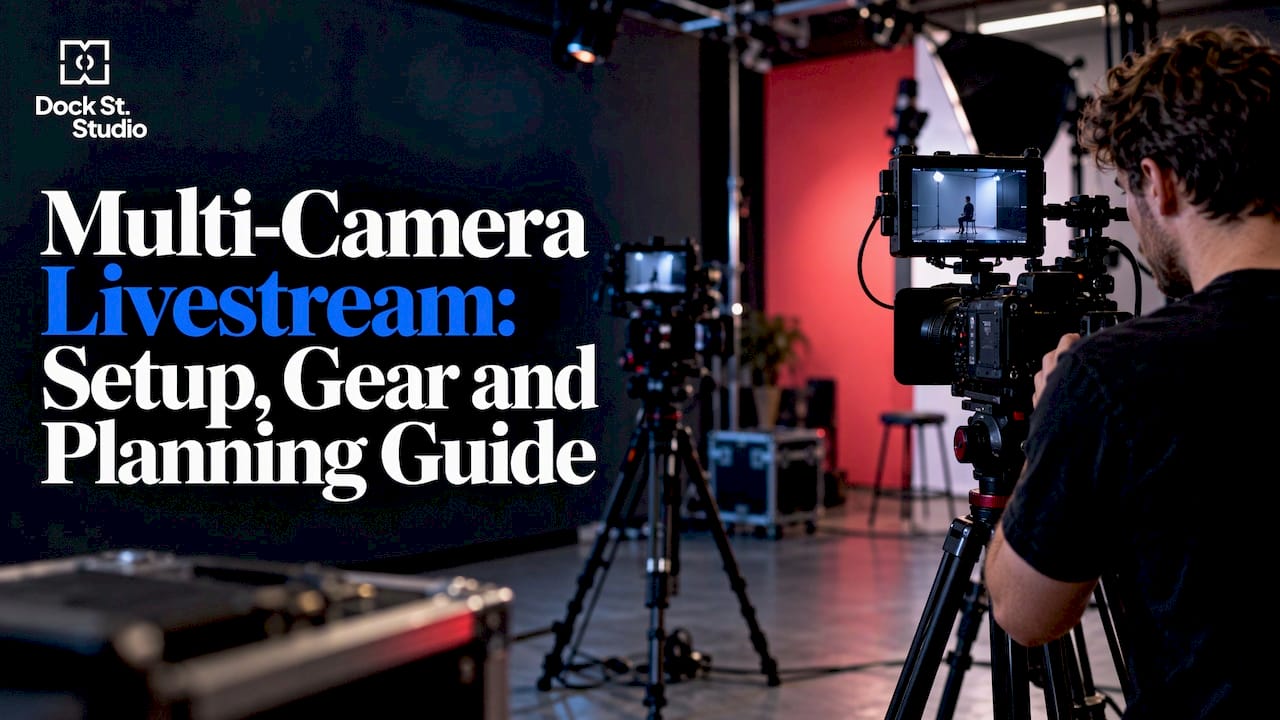
A studio gives you a fixed, reliable setting. On our side, studio hire in central Leeds is offered dry or staffed, with all equipment included, and it covers photo, video and content production including podcasting and livestreams. Our posts on livestream studio setup and testing and multi-camera livestream setup go through what to prepare before the day. If your stream doubles as a branded show, the guidance on building branding into a set and on lighting for a set applies just as well to a live product show.
Webinar or livestream?
The two are not the same thing. A webinar is closed and registration-based, while a livestream is built to be open and shareable. If you are unsure which suits your goal, our webinar versus livestream guide helps you decide before you book anything.
Sound, picture and connection
Viewers forgive a slightly plain background far sooner than muffled audio or a stream that stutters. Check your upload speed and stability well before the day. A guide to short speed tests for setting streaming data and bitrate explains how a few minutes of testing helps you choose a resolution your connection can hold. If you plan to push the feed to a platform yourself, our comparison of RTMP and SRT for live streaming covers the two common ways of sending it.

Promote the stream and keep viewers engaged
McKinsey warns that brands often under-invest in pre-stream marketing and starve otherwise good efforts. Its advice is to promote across every channel you already own: newsletters, email, your website, app notifications and social media, plus paid social and platform countdown features.
Google’s UK creative playbook gives a practical checklist for YouTube:
- Create the broadcast link at least 48 hours ahead and share it on social platforms.
- Set up the title and description, add a custom thumbnail and update your channel art.
- Make a short trailer for the event.
- Start a few minutes early with a holding slate, so viewers arriving first see something designed.
- Use lower thirds and a watermark to identify the speaker and brand.
- Write questions into the script and give someone the job of moderating chat.
That last point is easy to miss. A host cannot present, read comments and watch the clock at once. Putting a second person on chat is the simplest way to make the stream feel like a conversation.
Pick the platform your audience uses
Platform choice depends on where your customers already spend time. A UK and US survey by the Influencer Marketing Factory, published in November 2022, found that 25% of UK respondents had bought during a livestream shopping event. TikTok Live was the most preferred UK platform at 30%, ahead of Amazon Live, Facebook Live and Instagram Live. Product quality was the top reason for shopping live, followed by free delivery, discount coupons and real-time reviews. Platform popularity shifts, so treat those figures as a snapshot of 2022 and check your own audience before committing.
Measure it, then reuse it
The broadcast is the start of the content, not the end. Google’s playbook recommends using YouTube’s Live Control Room and Analytics to look at traffic sources, display locations and devices, then using that to plan the next promotion. It also notes that YouTube archives a live event for up to eight hours, so a longer broadcast needs a local recording of its own.
McKinsey suggests acting on viewer behaviour quickly. Someone who watched only 20 seconds might be sent the recording link, and someone who stayed 10 minutes could get a discount. One-off coupon codes let you see which of those messages worked. Shopify’s guide adds the practical follow-up: send a recap email with product links and discount codes, and place the replay on product pages as an evergreen asset.
What to track, in a simple order:
- Reach: peak concurrent viewers and total views.
- Attention: how long people stayed and when they dropped off.
- Interaction: questions asked, comments and shares.
- Outcome: sales, enquiries or sign-ups tied to a code or link.
As a sense of scale, a case study from iProspect reports that a Mitchum UK stream on Twitch and TikTok produced 790,000 livestream views and 469,000 engagements. That is a large campaign with a large budget, so judge your own streams against your previous ones, not against a headline number.
Capture stills while you are there
A studio day is an opportunity to collect more than the stream. Product shots, portraits of the presenters and event images all come from the same set-up. We offer product photography and event and press photography, both listed at £450-750, so the stills for your promotion, replay page and social posts can be shot in one visit.
Hosting your livestream at Dock Street Studio
Our studio is in central Leeds and hire is flexible. The published rates are:
| Option | Price |
|---|---|
| Dry hire | £125 |
| Half day (4 hours) | £175 |
| Full day (8 hours) | £300 |
| Add a photographer | £350-550 |
| Runner | £175 |
All equipment is included. Because we plan the brief and shot list with you before the shoot, the day runs to time, and retouched stills are available within 48 hours. See the studio hire page for the options and the content, podcast and video studio page for livestream and video work.
Our view on livestreaming for brands
Most live video that disappoints was not badly presented. It was badly briefed. Nobody had decided what the viewer should know or do by the end, so the host filled the time and the chat went quiet.
We start the way we start a photo shoot: with the brief. Who is watching, what do they need to see, which products or points come in which order, and what happens to the footage afterwards. Once that is written down, the setting almost chooses itself. You need steady light, clear sound, a backdrop that looks like your brand and enough room to move.
That is why we think a studio suits a brand stream. Everything is already in the room, the team can concentrate on the host and the audience, and the same session can produce stills for the promotion and the replay page. It is a calmer day, and calm presenters are better on camera.
Mark
FAQ
What is the best type of livestream for a brand?
Educational formats are the safest starting point. HubSpot’s data shows viewers are most likely to watch an expert Q&A, a product tutorial or a how-to related to your industry. Pick one, and make it useful enough that a viewer would be glad they turned up.
How many products should a first livestream include?
No more than 10, according to Shopify UK’s live shopping guide. A short list leaves time to demonstrate each item and answer questions, and it keeps your first broadcast manageable.
How do I promote a livestream?
Create the broadcast link at least 48 hours before, share it on social media and add a thumbnail and description. Email your list and use platform countdown tools. Google’s playbook and McKinsey’s research both stress promoting across several channels before the start time.
How long does a livestream stay available on YouTube?
Google’s guidance says YouTube archives live events for up to eight hours, with four hours for 360-degree live. If your broadcast will run longer, record a copy locally as well, so you can edit and reuse it.
Do I need a studio to livestream for my brand?
Not for a very simple chat, but a studio helps as soon as you need controlled lighting, clear sound or a branded set. Our Leeds studio is available for hire from £125 for dry hire, with all equipment included.
Sources
- What Is Live Streaming? | IBM
- Why is it worth integrating livestreaming into a brand’s marketing strategy | MediaGroup
- How to tap into the power of live-stream shopping | The Drum
- UK Live Stream Shopping Market Report 2026 | Mintel
- Which Types of Live Video Are People Actually Watching? | HubSpot
- Does it matter how I stream? | Humanities and Social Sciences Communications
- Live Shopping: What It Is and Livestream Selling Steps | Shopify UK
- It’s showtime! How live commerce is transforming the shopping experience | McKinsey
- Playbook for Creative Advertising (UK) | Think with Google
- Livestream Shopping Report | Influencer Marketing Factory
- Giving gamers the power to skip a shower | iProspect
- Use 2 to 3 Minute Tests to Set Streaming Data Usage and Bitrate
- Media consumption trends: what every marketer must know
Recommended
Shot, written and built by the Dock Street team
Every guide on this blog comes from the team at Dock Street Studio — Mark behind the camera with 18+ years' experience, Nicole on styling and lighting, Beya on video and bookings and Austin keeping the site fast and findable. If you'd rather have us do it than read about it, book a session or explore our photography services in Leeds.