


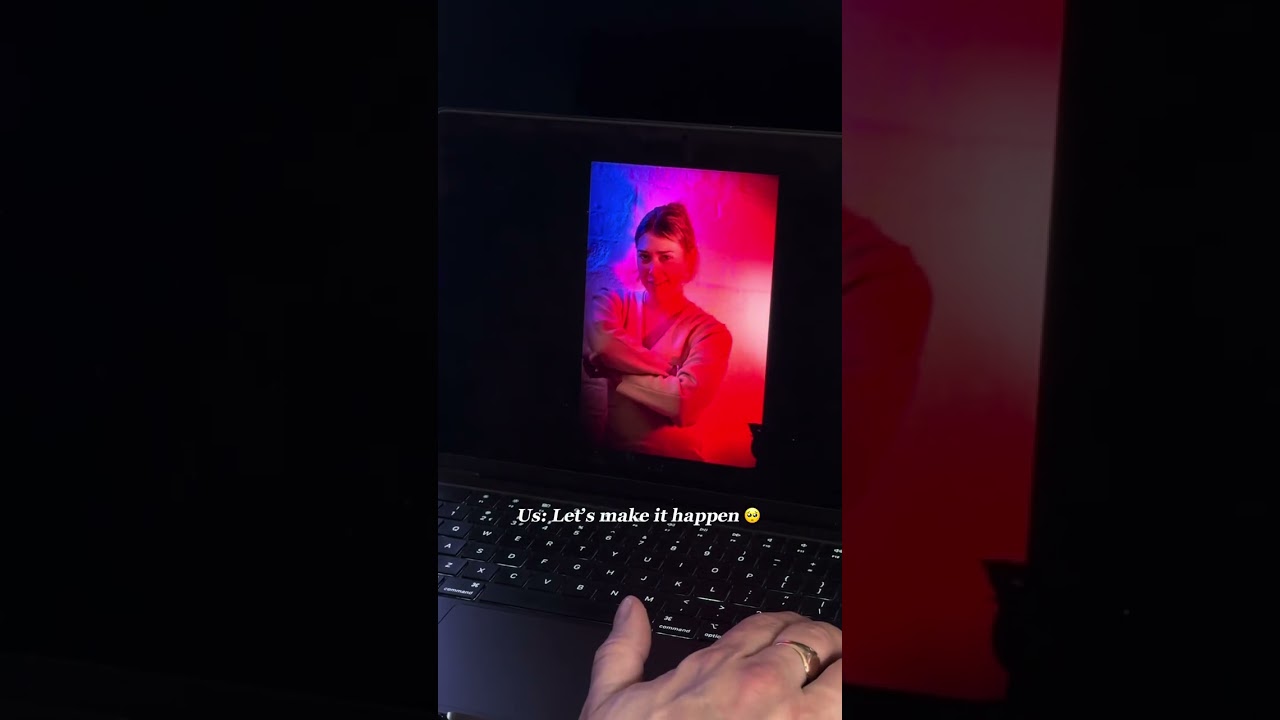
Vertical or horizontal video comes down to one question: is this film meant to be found, or meant to be watched? Anything built for discovery — TikTok, Reels, Shorts — wants 9:16, because it fills the phone and nobody has to rotate anything. Anything built to be studied — a tutorial, a brand film, a website embed — still wants 16:9, because it has room for more than one face.
Most briefs that come through the studio need both. The mistake is nearly always the same one: shoot it horizontal, then try to rescue a vertical cut in the edit. It can be done. It usually costs more than shooting it properly would have.
The short version
- Vertical (9:16) for feeds and discovery. Horizontal (16:9) for long-form, multi-subject work and anything embedded on a website.
- Decide the format at the brief stage, not in the edit suite. That one change saves more reshoots than any camera upgrade.
- Keep the subject inside the middle 80% of frame and a single take can serve both crops.
- A 4K horizontal master leaves room to pull a clean 1080 vertical later. It will not rescue a wide three-person shot.
- Square (1:1) is the compromise for feed posts seen on both phone and desktop. Treat it as a compromise, not a default.
What each format is actually for
Neither one is better in the abstract. They solve different viewing problems, and picking the wrong one shows up straight away in how far people watch.
Vertical, 9:16. Fills the screen on a phone held the way people already hold it, so there is no friction and nothing to decide. It feels native on TikTok, Reels and Shorts, which quietly reward footage that looks made for the platform rather than moved onto it. Where it struggles is width: a product line-up, two people side by side, a room. Best for short tutorials, behind-the-scenes clips, testimonials and any single-subject story where one face or one object carries the whole shot.
Horizontal, 16:9. Handles complex scenes, several subjects, demonstrations and anything a viewer wants to study rather than skim. It is still the default for YouTube long-form, websites, training material and anything broadcast-shaped. On a phone held upright it letterboxes down to a strip, which is the trade-off. Best for tutorials, panel discussions, brand films, event recaps and website embeds.
A large field study on mobile advertising found vertical ads produced higher completion and engagement than horizontal ads on mobile, with the size of the gap varying by viewer age. The rule of thumb we work to: match the format to where the eyeballs actually are, not to whichever is easiest to shoot on the day.
Which aspect ratio suits each platform
Platform defaults exist for a reason. Fight them and you pay for it in reach.
- TikTok, Instagram Reels, YouTube Shorts. Vertical at 9:16, clips between six and sixty seconds, hook inside the first two seconds. Native-sounding audio and on-screen text tend to beat a polished voiceover here.
- YouTube long-form, websites, training content. Horizontal 16:9. Longer runtimes need the context and detail a vertical crop cannot hold. This is also where editorial photography planning carries straight over to video: know the shot list before you roll.
- Instagram feed and LinkedIn. Square is the safe middle when a post gets viewed on both mobile and desktop. Vertical wins for feed video clearly built for scrolling; horizontal still suits LinkedIn's more desktop-leaning audience.
- Paid social. Native vertical creative regularly beats cropped horizontal on mobile placements. Cropping a horizontal ad down to fit a vertical feed is the fastest way to waste a media budget.
The structural picture backs this up: vertical has become the shape platforms build around, from full-screen players to feed algorithms that quietly favour it.
Four questions to answer before you book the shoot
- What is the goal? Discovery (cold audience, scroll-stopping), conversion (product demo, landing page) or education (tutorial, training)? Discovery leans vertical. Education and conversion usually lean horizontal.
- How complex is the frame? One talking head or a product close-up survives a vertical crop easily. A three-person panel, a wide interior or a product line-up needs the width.
- How does the audience watch? Younger, mobile-first audiences skew heavily vertical, and publishers have noticed — enough of them are bringing vertical production in-house to reach them. A B2B audience watching on a laptop at eleven on a Tuesday behaves differently.
- Crop or reshoot? If the brief needs both and the scene is wide, budget the time to reshoot key angles rather than relying on a crop that will take somebody's arm off mid-frame.
Run those four on every brief and format stops being a guess. It becomes a five-minute decision you can defend to a client.
Framing so one shoot survives both crops
The camera does not change between formats. Almost everything else does.
- Safe action area first. Keep the subject and any critical text inside the middle 80% of frame, so it survives a crop either way without losing a head or a logo.
- Headroom and eye-line. Vertical wants tighter headroom and a slightly higher eye-line, because there is less width to balance against and the face reads much larger.
- Camera placement. One subject sits comfortably close in vertical. Two or more need horizontal width, or a wider vertical frame with staggered positions so nobody gets clipped.
- Rig for both at once where you can. A second body or a phone on its own tripod, running vertical alongside the main horizontal camera, is far cheaper than a second shoot day.
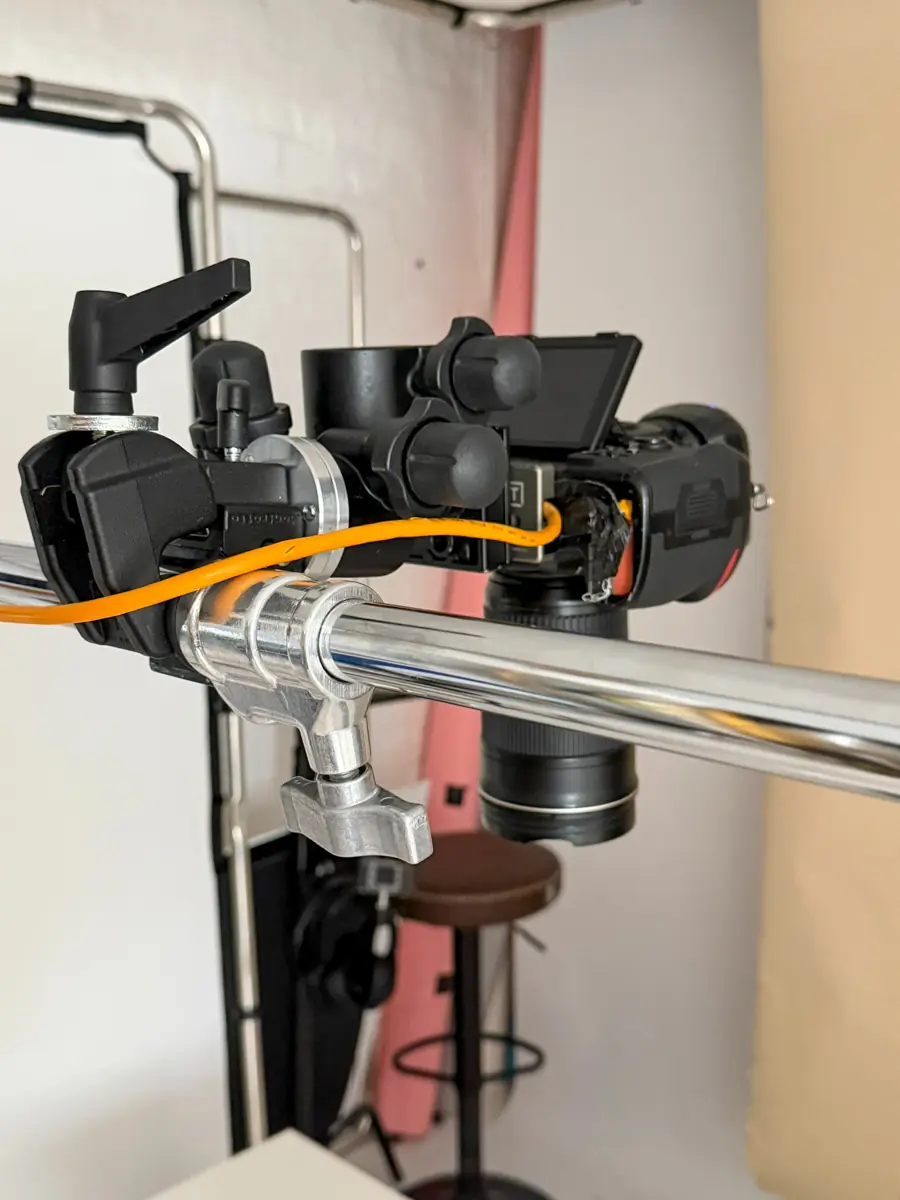
Pro tip: shoot a test frame at both crop ratios before the first proper take. Thirty seconds, and it saves the reshoot you would otherwise book when you notice the talent's hands were outside the vertical frame all along.
If you are setting up for interviews or talking-head formats specifically, the same logic runs through our guide to video podcast production, where camera height and eye-line consistency matter even more across a long record.
Backgrounds, lighting and sound
A background that works wide often becomes clutter once you crop in narrow. Choose one that reads cleanly at both.
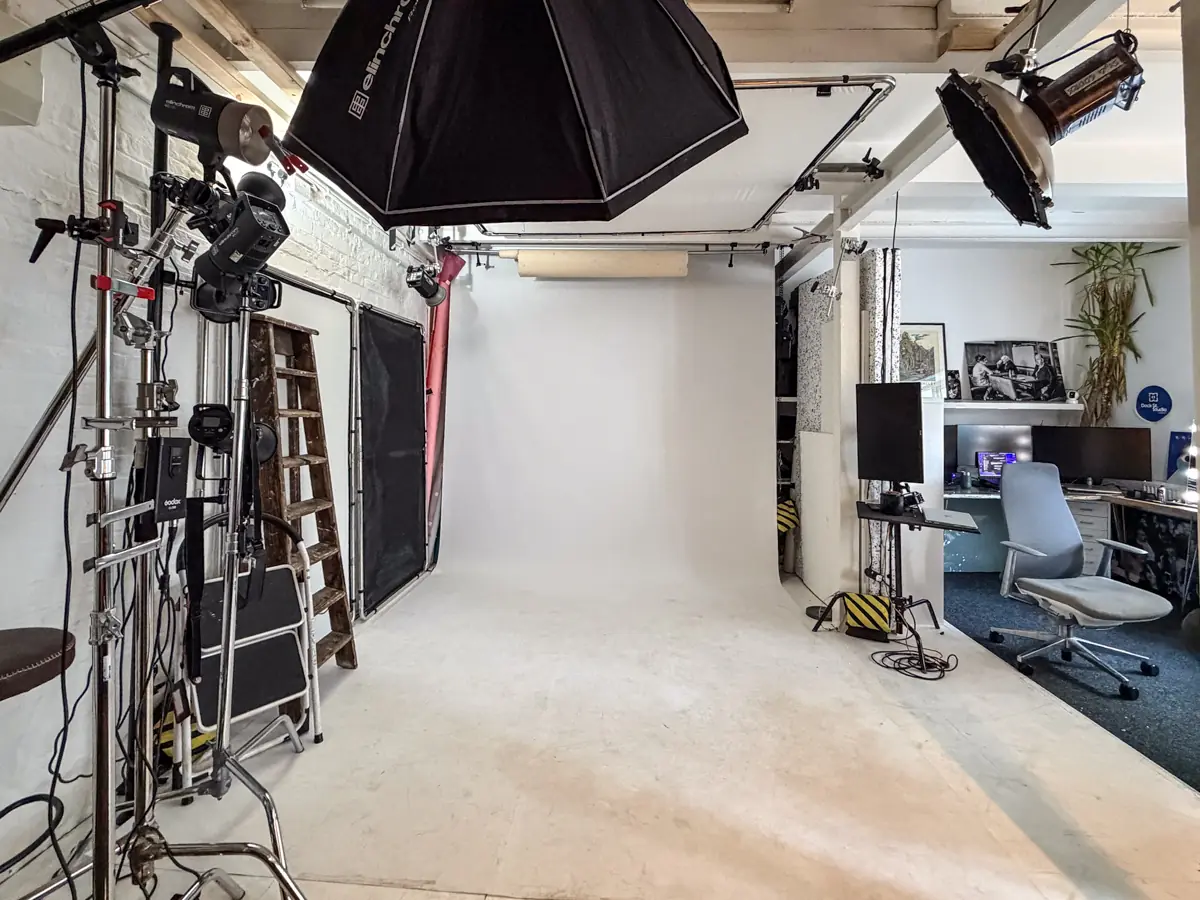
- Backdrops. A plain cove or a single-colour backdrop survives any crop. Busy set dressing at the edge of a wide frame simply disappears in vertical, which means you paid to light something nobody will see. The same discipline behind prop staging techniques for photographers applies directly here: place fewer things, and place them where the tightest crop can still see them.
- Lighting. Keep the key doing the work on the face. Rim and background lights that separate a subject beautifully in a wide shot can end up half-cropped and looking like a mistake in 9:16.
- Sound and captions. Most people watch feeds with the sound off. Keep captions inside the safe area and decide burned-in versus platform-native before you export, not after.
Aspect ratios, resolutions and file formats
- Ratios: 9:16 (1080×1920) vertical, 16:9 (1920×1080) horizontal, 1:1 (1080×1080) square.
- Resolution and bitrate: deliver the best-quality source you can. Platforms handle the final compression themselves, so a heavily pre-compressed upload just compounds the loss.
- Codecs: MP4 with H.264 is the safest delivery default, described as the most broadly compatible video format available. Keep a ProRes or MOV master for editing and future re-crops, and avoid re-exporting an already-compressed file.
- Before upload: confirm the safe area one last time, and never upload a horizontal-cropped-to-vertical file under 1080 pixels wide.
Controlled testing found the vertical advantage on mobile was statistically significant on both completion and engagement at p < .001 — a wide enough margin that format choice alone moved the result.
Turning one shoot into vertical, square and horizontal cuts
- Record a high-resolution master. Horizontal 4K with a marked central safe area lets an editor pull clean vertical and square timelines afterwards without visible loss on most social outputs.
- Build the vertical with keyframed reframing. Animate the crop across the master rather than applying one static crop, so the framing still feels deliberate. Blurred canvas fills only where the subject genuinely cannot fill 9:16.
- Set the crop-or-reshoot rule in writing. Crop when the subject is centred and static; reshoot when the scene is wide, multi-subject, or the crop would cut essential action. Put it in the brief so nobody is surprised at delivery.
- Export against a fixed per-platform checklist — ratio, caption style, file format, bitrate — so nothing slips across three or four deliverables from one day.
How we plan a multi-format shoot at Dock Street Studio
Every multi-format brief here starts the same way: a conversation about the exact deliverables before anyone books the room. One horizontal hero for the website plus four vertical social cuts is a typical brief, and each of those five files has its own length, caption style and crop. All of it goes into the shot list alongside camera height and safe-action framing, so nobody is improvising on the day.
The interview set — green Chesterfield, white brick, cameras on tripods either side — is built to be shot both ways at once. A second body running vertical next to the main horizontal camera is the cheapest insurance there is against a reshoot, and it is why we keep the C-stands and boom arms out rather than packed away.
Here is what that looks like in practice on our own site. The film below is the horizontal cut that runs at the top of the Dock Street Studio homepage. Phones never see this version — they get a separate cut, served from its own CDN, because the desktop framing does not hold up on a small screen.
The frame at the top of this piece is pulled from one of our own vertical Shorts, shot in the studio and cut for the feed. More of the same sits on Instagram, TikTok and YouTube — worth a scroll if you want to see what a vertical cut off a studio day actually looks like before you brief one.
Filenames get agreed upfront, deliverables are packed by platform, and clients sign off a rough cut before final export. If you would rather run the day yourself, the room, lighting and full kit list are available on studio hire from £125 for two hours.
Where this is heading
Platforms are standardising hard around vertical for discovery. That is not a fad, it is product design following attention, and it will keep tightening. Horizontal is not going anywhere either — it still does the heavy lifting for anything needing depth, detail or a viewer who has actually sat down, which covers most owned-channel and training content.
The practical steer: build vertical-first for anything designed to be found, and protect your horizontal masters for anything designed to be watched properly. Shoot once, frame for both, and let the platform decide the crop rather than the other way round.
— Mark
Frequently asked questions
Is horizontal or vertical better for video?
Neither wins outright. Vertical performs better for mobile discovery and short-form feeds; horizontal suits long-form, multi-subject or lean-back viewing such as YouTube tutorials and website embeds.
Why do people prefer vertical video?
It fills the phone screen completely and removes the friction of rotating the device. That ease is part of why mobile vertical video ads score higher on completion and engagement than horizontal equivalents.
Should I shoot iPhone video horizontal or vertical?
It depends where it is going. Vertical if the footage heads straight to TikTok, Reels or Shorts. Horizontal — ideally a 4K master with a marked safe area — if you need the flexibility to deliver both formats later.
Is a YouTube video horizontal or vertical?
Standard YouTube is horizontal 16:9, still the platform's native long-form shape. Shorts is the exception, built for vertical 9:16 clips under sixty seconds.
Can I shoot vertical and horizontal on the same studio day?
Yes, and it is usually the cheaper route. Two cameras running side by side, or one camera reset between takes on a marked floor spot, covers both formats in a single booking rather than two.
Where is the studio and how do I book?
Dock Street Studio, Unit 9, 30–38 Dock Street, Leeds LS10 1JF — first floor with lift access, ten minutes' walk from Leeds train station and parking on site. Book online, email hello@dockstreetstudioleeds.co.uk, or call 0113 4400102.
Book the studio for your next video shoot
Planning the format is the cheap part. Having a room, a lighting rig and a second camera already set up to shoot both ways is what turns that plan into four usable files instead of one awkward crop.
Studio hire runs from £125 for two hours, £175 for a half day or £300 for a full day, with lighting, backdrops and green screen included. If you would rather we shot and edited it, our commercial photography and video service starts at £450 for a half day. Book online, get in touch, email hello@dockstreetstudioleeds.co.uk, or call 0113 4400102.
Sources
- This Way Up: The Effectiveness of Mobile Vertical Video Marketing
- Vertical video has broken the internet — The Verge
- Media briefing: publishers turn to vertical video — Digiday
- Video file formats: complete conversion guide — iFormat
- Is there a best video file format? — Cloudinary
Recommended
- Video Podcast Production: How to Set Up a Podcast Worth Watching
- Podcast Studio Hire Leeds | Video Podcast Production
- Hiring a Professional Studio for Content Creation
About the author
Mark Wheelwright
Commercial photographer & studio owner | ISO Photographic Ltd, Leeds
Dock Street Studio, Unit 9, 30–38 Dock Street, Leeds LS10 1JF
Mark has 18+ years' experience photographing brands and businesses across Leeds and West Yorkshire, with 900+ projects delivered. He runs Dock Street Studio, working with clients including Clear Channel, Habitat, Kirkstall Brewery and Paystrax.
900+ projects | 300+ five-star reviews | 1M+ shutter count
dockstreetstudioleeds.co.uk
Shot, written and built by the Dock Street team
Every guide on this blog comes from the team at Dock Street Studio — Mark behind the camera with 18+ years' experience, Nicole on styling and lighting, Beya on video and bookings and Austin keeping the site fast and findable. If you'd rather have us do it than read about it, book a session or explore our photography services in Leeds.