


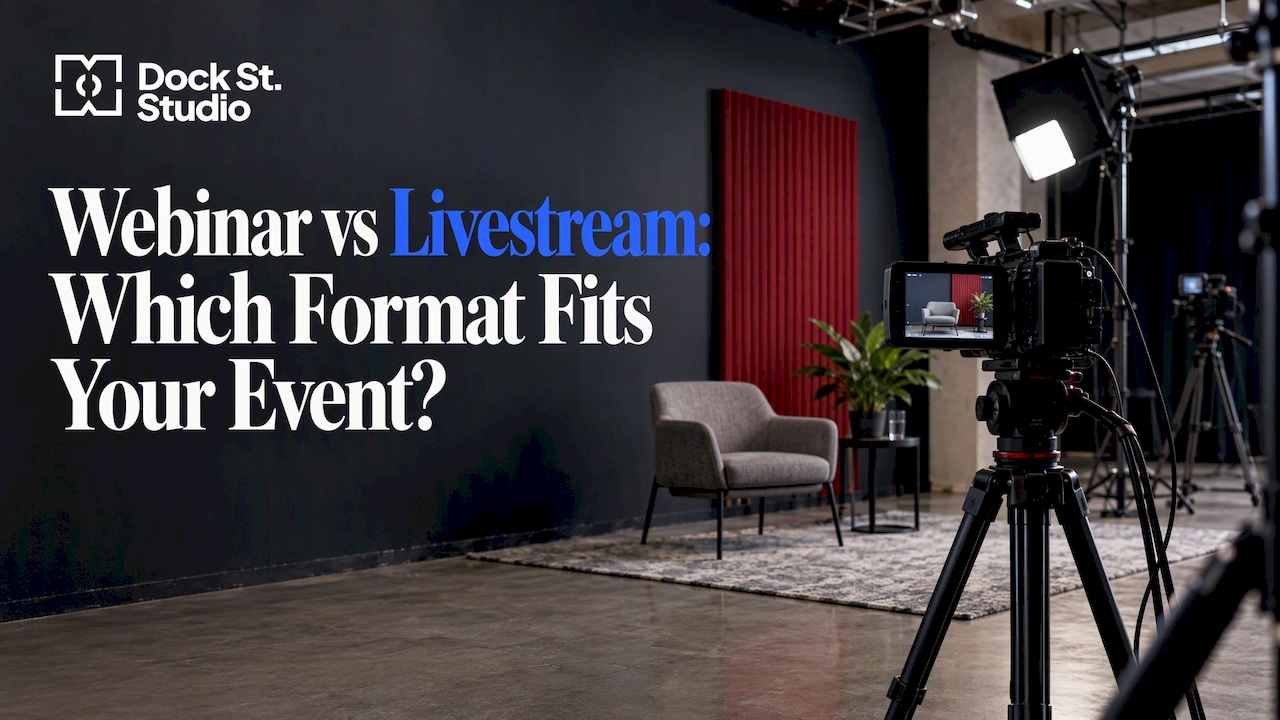
A webinar is built for a smaller, registered online audience you want to talk with. A livestream is built for reach: one polished video feed sent to as many viewers as you like, often from a venue with people in the room as well. If your priority is conversation and attendee data, choose a webinar. If it is audience size, production quality and a mixed online and in-person crowd, choose a livestream.
The webinar vs livestream question comes up in almost every video enquiry we take at the studio, and the honest answer is that the two overlap more than most guides admit — plenty of events use both. Below we cover what each format is, how they differ in practice, where “broadcast” fits, and how to decide before you spend money on a venue or a crew.
What is a webinar?
A webinar is an online event in which speakers present to an audience who can take part by submitting questions, responding to polls and using other interactive tools. Think of a seminar that happens on a screen: a host, one or more presenters, slides, a chat panel and a Q&A.
The typical setup is modest. Speakers join from home or an office on a webinar platform, and attendees click a link to watch. Nobody needs a venue. That is why webinars suit training sessions, product demonstrations, lead generation and client briefings where the audience is a few dozen or a few hundred.
What is a livestream?
A livestream is the broadcasting of live video to an audience via the internet. The definition says nothing about interaction, because interaction is optional. A livestream might be a conference keynote, a product launch, a panel recorded in a studio, a live podcast or a fashion show.
Where a webinar is mostly a screen share with faces in boxes, a livestream is usually a produced video programme: several cameras, proper lighting, clean audio, graphics, and a vision mixer cutting between shots. It can go to your own website, to social platforms, or to several destinations at once — we cover that in our guide to multi-platform streaming.
How do webinars and livestreams actually differ?
One UK comparison puts it plainly: a webinar suits smaller online-only events, while a livestream is better suited to larger events that can include online and in-person audiences. Here is how that plays out across the decisions you will actually make.
| Webinar | Livestream | |
|---|---|---|
| Main goal | Interaction and learning | Reach and presentation |
| Typical audience | Smaller, controlled group | Larger, open audience |
| Access | Registration, often a unique link | Often a public link or embedded player |
| Audience data | Names, emails, attendance, poll answers | Viewer counts, less individual detail |
| Speakers | Usually remote | Remote, in the room, or both |
| Venue | Your desk or office | A studio, theatre, conference hall |
| Cameras | One webcam per speaker | Often several, with a vision mixer |
| Production effort | Low to moderate | Moderate to high |
| Platform | A webinar tool | Video platforms, social channels, your own site |
Treat the table as a pattern, not a rule. A good webinar can look polished and a poor livestream can be a single wobbly camera. But the pattern explains why the two formats attract different budgets.
Interaction
This is the deciding factor for most people. Guidance from one university technology office says the choice should be driven by the need for interactivity: webinars for two-way learning, livestreams for one-to-many dissemination.
If you want attendees to unmute, answer polls and be coached through an exercise, a webinar gives you the controls. If you want them to watch a good programme and type the occasional comment, a livestream is enough.
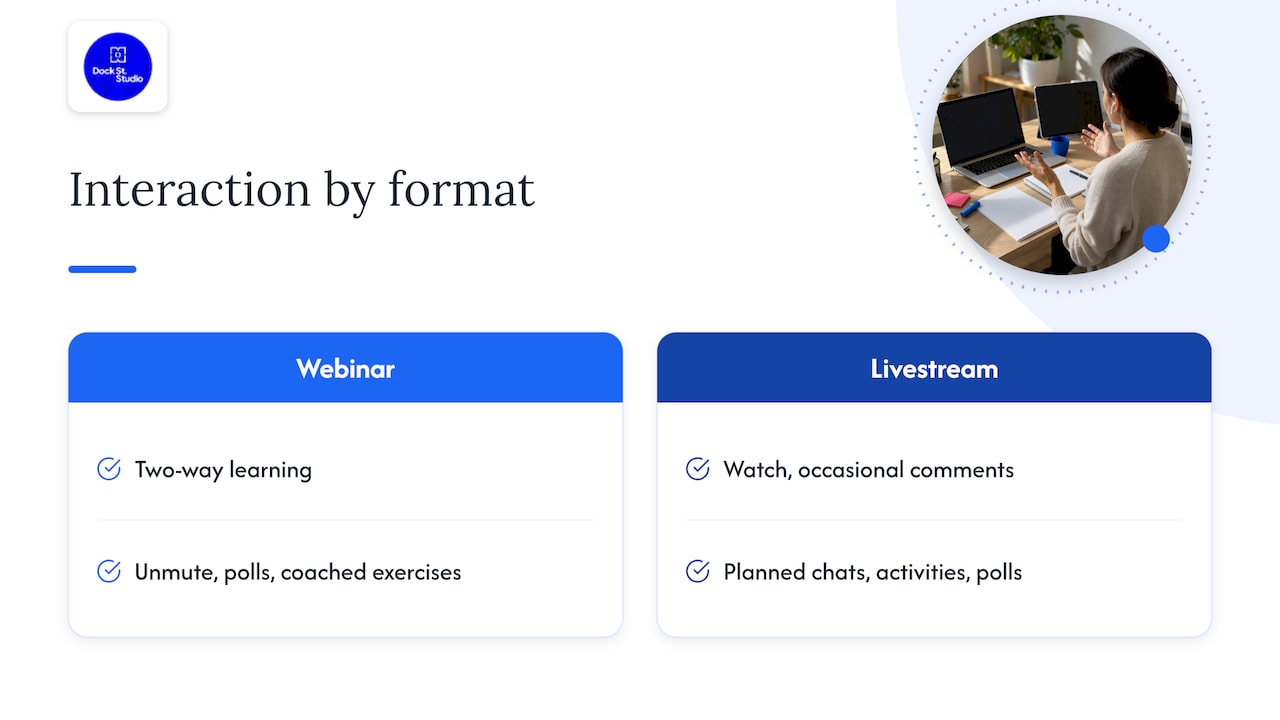
Livestreams can still be interactive when you plan for it. A well-known UK example is a global company event for a 2,000-strong workforce that used an audience wall, chats, activities and polls to encourage two-way engagement. The interaction was designed in, not bolted on.
Registration and data
Webinars typically restrict access to ticket holders or registered attendees and provide attendee data, while livestreams put reach first and worry less about exactly who is watching. If your event exists to generate leads, or you need to prove who attended, registration is the point and a webinar is the natural fit.
Proof of attendance matters more often than people expect. UK audit standards for event attendance say that online events include webinars and seminars and that reporting needs controlled entry and verified attendance records. If you report attendance to a membership body, a sponsor or a regulator, check what they will accept before you pick an open livestream.
Audience size and location
Webinars work best when the audience is manageable. Once numbers reach the hundreds or thousands, or you also have people in a room, the livestream approach wins: video delivery is built for scale, and the in-room experience needs proper cameras and sound.
Hybrid is the hard case. One university’s guidance does not recommend teaching to a remote live audience and an in-room audience at the same time, because the speaker cannot serve both well. The lesson for events is to decide who your primary audience is. If it is the room, treat the stream as a window onto the event. If it is the online audience, give them their own host and their own questions channel.
Production values
A webinar tolerates a webcam and a decent microphone. A livestream is judged like television, which sets the bar for lighting, framing, sound and graphics. Professionally run broadcast-style events may involve complex production teams and dedicated studios, and that scale is not necessary for most businesses. But it explains why livestreams cost more than webinars.
Where does “broadcast” fit?
The word is used loosely online, so it helps to separate two meanings.
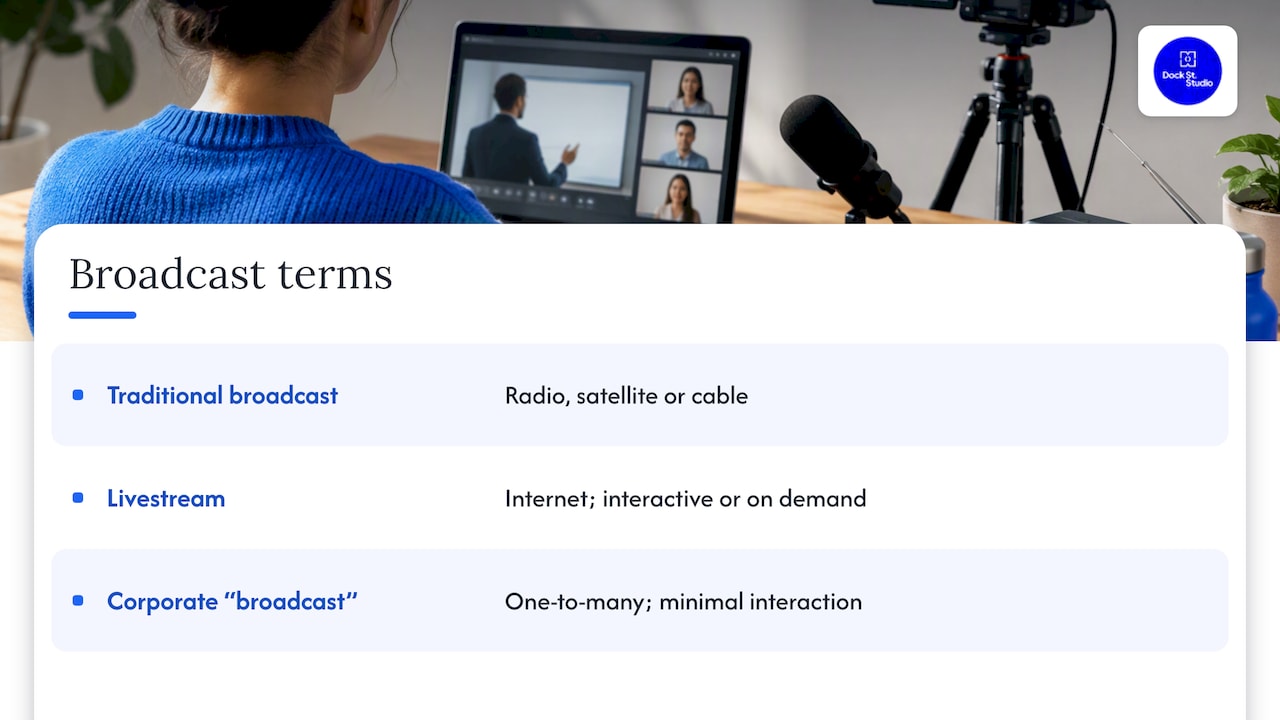
In the traditional sense, broadcasting sends signals over radio waves, satellite or cable to a passive audience on a fixed schedule, whereas livestreaming delivers video over the internet to any device and can be interactive or on demand. Television and radio are broadcasting. A livestream on a website is not.
In the corporate sense, people say “broadcast” or “webcast” for a one-to-many event aimed at a large audience with minimal interaction, functioning much like a live television broadcast for announcements. In practice that is a livestream with a strong production and no audience microphone.
So if you were typing “broadcast vs livestream”, the short answer is this: broadcast is the older term for one-way distribution over dedicated networks. Livestream is the internet version, and it can be one-way or two-way depending on how you build it.
Can a webinar also be livestreamed?
Yes. Webinar tools can stream to other destinations, and recording is available for both webinars and livestreams. Many organisations record the session and publish it afterwards — one UK professional body, for instance, says its webinars are recorded where possible for later viewing.
A UK production case study shows how far the blend can go: a webinar platform event was streamed live while six individual camera feeds were recorded, with part of the programme pre-recorded. That is the best of both: webinar mechanics for the audience, livestream production quality on screen.
If you count on-demand viewers in your reporting, check the rules. One UK standard allows time-shifted viewing to be claimed within three months provided the recording is substantially the same as the live event.
How do you choose? Five questions
Work through these in order. Most people know the answer by question three.
- Do you need the audience to talk back? If yes, lean webinar. If a chat box is enough, a livestream will do.
- How many people, and where are they? Dozens online suggests a webinar. Hundreds or more, or a room of people plus an online audience, suggests a livestream.
- Do you need to know exactly who attended? If yes, use registration and a webinar-style setup, or a registered livestream.
- How will the content look? A talking head and slides is fine in a webinar. Demonstrations, interviews, products, multiple speakers or a branded set justify a livestream.
- What happens afterwards? If the recording will be cut into clips, used on your website or sent to sales, think about image and sound quality from the start.
Security and invitations
Open links invite the wrong viewers. UK guidance from the Community Security Trust on secure livestreaming advises hosts to manage invitations and meeting settings carefully, such as using waiting rooms, to balance reach with safety. If your event is sensitive, choose registration and moderation even when you want a big audience.
What does each format need in practice?
For a webinar
- A quiet room and a stable wired connection.
- A decent external microphone — it matters more than the camera.
- A camera at eye level with a soft light in front of the speaker, not behind.
- A run-through, a moderator for questions and a tidy slide deck.
For a livestream
- A space with controlled light and sound, rather than a boardroom with echo and windows.
- Two or three cameras so you can cut between a wide shot and close-ups.
- A stable encoder setup and a backup internet route. Our piece on RTMP or SRT for live streaming explains how the video travels to the platform and what to choose.
- A producer or runner, so the speaker can focus on speaking.
- A thought-out frame. If clips will go to social media, read our guide to vertical vs horizontal video first.
A room that works for a single remote speaker can fall apart when you add a second guest, a table and a set. That is the practical reason many teams book a studio rather than improvise in the office.
A view from the studio floor
We run a photography and video studio in central Leeds, and the question we hear most is not “webinar or livestream?” but “what do we actually need?”. The answer usually comes from the brief, so we start there. Who is watching, what do you want them to do afterwards, and what will you reuse once the event is over?
Our view is that most businesses over-produce their webinars and under-produce their livestreams. A webinar succeeds on a clear structure, a good moderator and clean audio. A livestream succeeds on planning: shot lists, a run of show, a tested connection and a plan for what happens if something drops. The best results we see come from sorting the brief before the day, not from the equipment list.
A good studio also changes the economics. If you hire a room with lighting, backdrops and audio already set up, you are not paying for the learning curve of your first stream. You can try a livestream with a small team and decide later whether to scale up.
Hiring a studio for your webinar or livestream
If you want a controlled space for either format, our photography studio hire in Leeds comes with lighting, backdrops and equipment included. Our published rates are:
| Option | Price |
|---|---|
| Dry hire (2 hours) | £125 |
| Half day (4 hours) | £175 |
| Full day (8 hours) | £300 |
| Add a photographer | £350 to £550 |
| Runner | £175 |
A half day suits a single webinar or a short livestream with a rehearsal. A full day suits a series of sessions recorded back to back. For podcast and video production work, including livestreams, see our podcast studio page and get in touch for a quote. Speakers who want a good photo for the event page can book a headshot session on the same day.
If your event includes guests in a room, our event and press photography can cover the day alongside the stream.
Common mistakes to avoid
- Calling it a webinar and running it like a lecture. If you never use polls or questions, you are running a livestream with extra steps.
- Streaming a hybrid event with one camera. The online audience then watches the back of people’s heads.
- Skipping the rehearsal. Most technical failures happen in the first five minutes, and you can find them an hour earlier.
- Forgetting the recording. Plan the edit, captions and clips before you go live. If the content is a conversation, our video podcast production guide shows how to set it up so it works live and afterwards.
- Choosing the format by habit. Last year’s webinar may not be this year’s answer.
Frequently Asked Questions
Is a webinar the same as a livestream?
No, though they overlap. A webinar is a registered, interactive online session, usually for a smaller group. A livestream is a live video feed built for reach, which can go to an open audience and can include people in the room. A webinar can be livestreamed, and a livestream can borrow webinar features such as polls.
Is a webinar online or in person?
A webinar is online. If you also have people in a room, you are running a hybrid event, which is usually better handled as a livestream with a proper camera setup. Decide which audience comes first, because serving both equally well is difficult.
Can I record a webinar or livestream and share it later?
Yes, both can be recorded and watched on demand. Treat the recording as a product in its own right, with good sound, clean framing and a clear title. If you report attendance to a sponsor or membership body, check how they treat on-demand viewers.
What is the difference between a broadcast and a livestream?
Broadcasting is the traditional delivery of radio and television over airwaves, satellite or cable to a passive audience. A livestream delivers video over the internet to any device and can be interactive or watched later. Businesses sometimes say “broadcast” when they mean a polished one-way livestream.
Where is the studio?
Dock Street Studio is at Unit 9, 30–38 Dock Street, Leeds LS10 1JF — central Leeds, near Leeds Dock, about ten minutes’ walk from Leeds train station, with secure on-site parking if you are bringing kit or guests by car.
Sources
- Webinars vs live-streams: the ultimate comparison, Cambridge Network
- Guidance for online events, University of Exeter
- What is the difference between livestreaming and webinars?, FASE Education Technology Office
- Dunnhumby Live: Global Broadcast Event, MGN Events
- The Difference Between Webinars, Live Streams, and Meetings, Eventbrite
- Metrics: Event Attendance, ABC UK
- Academic Technology guide, University of Warwick
- Broadcasting vs Live Streaming, Ant Media
- Webinars vs. Webcasts, Hub Agency
- Meeting vs. Webinar vs. Livestream, Brown University
- Event FAQ, APM
- Multi-Camera Live Stream case study, Broadley
- Guidance for secure livestreaming, Community Security Trust
Book your webinar or livestream in Leeds
Bring us the brief — audience, date and what the recording needs to do afterwards — and we will talk it through properly and set the room up to match. Book online, email mark@isophotographic.org, or call 0113 4400102.
Written by Mark Wheelwright
Commercial photographer & studio owner, Leeds | ISO Photographic Ltd
Dock Street Studio, Unit 9, 30–38 Dock Street, Leeds LS10 1JF
18+ years' experience | 900+ projects | 300+ five-star reviews | 1M+ shutter count
dockstreetstudioleeds.co.uk
Shot, written and built by the Dock Street team
Every guide on this blog comes from the team at Dock Street Studio — Mark behind the camera with 18+ years' experience, Nicole on styling and lighting, Beya on video and bookings and Austin keeping the site fast and findable. If you'd rather have us do it than read about it, book a session or explore our photography services in Leeds.