


A good video interview audio setup comes down to four things: a microphone close to the speaker, headphones so you hear exactly what's being recorded, levels set by hand, and a quiet room with soft surfaces. Get those right and a modest kit will beat an expensive one used badly. People will forgive a plain background long before they forgive muffled or echoey speech — Shure's guide to audio for video and film makes the same point, that poor sound can make or break a video.
We record interviews, podcasts and talking-head videos in our Leeds studio most weeks, and the sound is nearly always the bit people underestimate. This guide walks through the kit, where each mic goes, how to set levels, how to protect yourself with a backup, and what changes when your guest joins from somewhere else.
What do you need for a video interview audio setup?
Less than the gear forums suggest. Riverside's interview equipment guide boils it down to a microphone, headphones, a computer or recorder to capture the sound and, if you're filming, a camera. If you run the mics through an audio interface, make sure it has an XLR input for every microphone you plan to use.
For a sit-down, on-camera interview, this is the kit we'd suggest:
- One mic per speaker. A wireless lavalier (the small clip-on mic) is the safe choice. Hollyland's guide to recording a video interview notes that camera mics sit too far away and pick up the room, which is why a wireless lav suits most interviews.
- A shotgun mic on a stand or boom pole, if you want a fuller, more natural tone and can keep it out of shot.
- A shock mount and wind cover for the shotgun. Without them, every knock of the stand goes straight into the recording.
- Closed-back headphones for monitoring.
- A recorder or mixer with XLR inputs, or the camera's own inputs if they're decent.
- Spare batteries and cards. The University of Montana's beginner's field guide to production audio puts batteries, an SD card and a slate on its interview kit list — the dull items are the ones that end shoots early.
- A stand, boom arm or light stand with a grip head, so nobody has to hold a mic for an hour.
You don't need all of it on day one. A lav on each speaker, a pair of headphones and a recorder will carry most interviews. Add the shotgun when you want a second, better-sounding source.
Should you use a lavalier or a shotgun mic?
They do different jobs, and the most reliable setups use both. Here's how they compare in practice:
| Lavalier | Shotgun on a boom or stand | |
|---|---|---|
| Distance from mouth | Close and consistent | Further back, just out of frame |
| Sound | Clear, a little close and flat | Fuller, more natural |
| What goes wrong | Clothing rustle, cable noise | Room echo, creeping into shot |
| Best for | Speakers who move, quick set-ups, corporate talking heads | Controlled sit-down interviews in a quiet, treated room |
| Copes with movement | Yes | Only if someone follows with the boom |
If you can only have one, have the lav. It stays the same distance from the mouth whether the speaker leans back, laughs or turns to someone off camera. If you can have two, use one as the main track and the other as your safety net — we'll come back to that under backups.
Where should the microphones go?
Position matters more than price. A modest mic in the right place beats an expensive one in the wrong place every time.
Placing a lavalier
Humanities LibreTexts on microphone placement recommends clipping a lav 6 to 8 inches below the mouth, centred on the chest or on the lapel. If you hide it under clothing, a bit of moleskin or tape where the wire meets the mic stops the fabric rubbing.
A few habits that help on the day:
- Clip it to the middle of the chest, not off to one side, so the voice stays even when the speaker turns their head.
- Run the cable under clothing or down the back seam, and tape the transmitter so it can't swing.
- Under thin fabric, use a soft mount — Hollyland's guide points out it helps stop friction noise.
- Ask your speaker to wear soft, quiet fabrics. Chunky jewellery, scarves and stiff jackets are the usual culprits for rustle — the same things we'd steer people away from on a headshot day.
Placing a shotgun
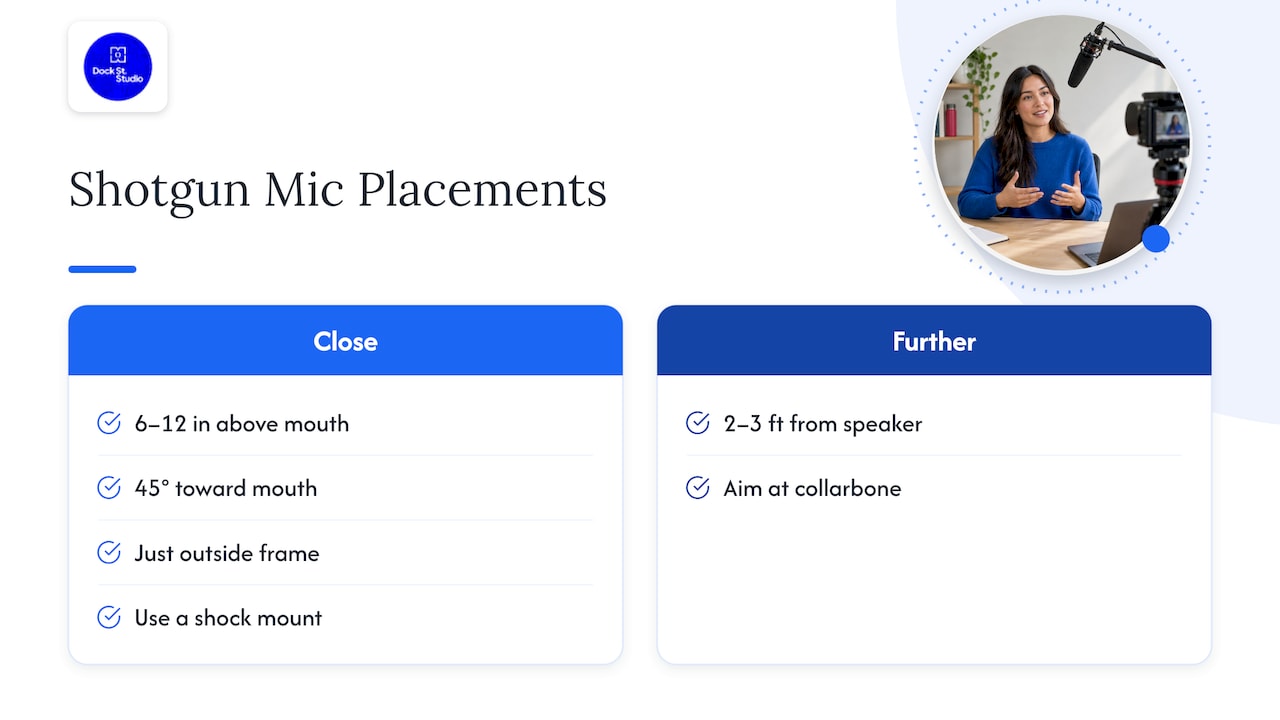
The same LibreTexts guide puts a shotgun just outside the frame, 6 to 12 inches (15 to 30 cm) above the mouth, angled down at about 45 degrees on a shock mount. If you've got the room and a boom operator, RØDE's advice on boom pole technique explains why holding the pole above the shot works: the mic's sweet spot points at the mouth and then down at the floor, giving natural dialogue with less of the room.
If the mic has to sit further back, the University of Illinois guidance on capturing excellent audio suggests roughly 2 to 3 feet (60 to 90 cm) from the speaker, aimed at the collarbone. You still get clear words, with fewer mouth noises and plosives (the pops on "p" and "b").
Whichever you choose, set it and leave it. Videomaker's advice on crisp interview audio makes the point that keeping the mic in one position is the simplest way to stop someone's voice changing tone halfway through.
Two people in one frame
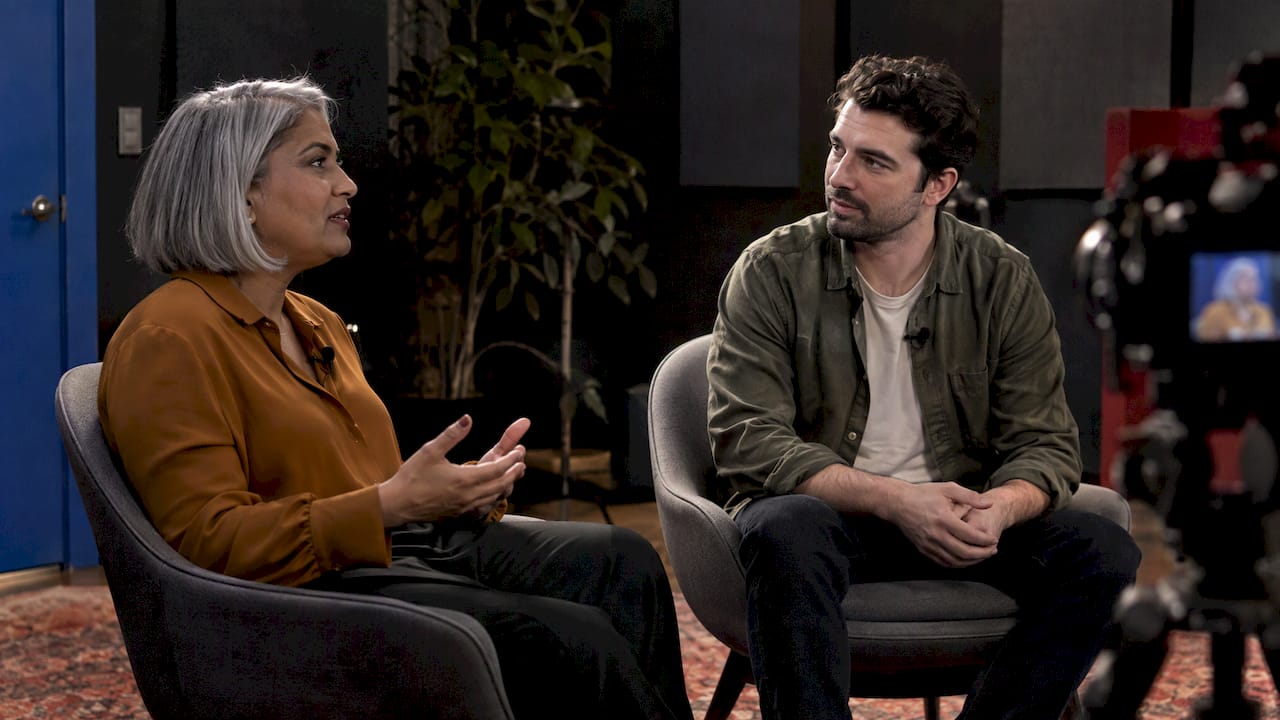
For a two-person conversation, give each speaker their own mic and record them to separate tracks. That way you can fix one person being louder than the other without touching the other voice. We go into seating, mics and camera positions in our two-person podcast setup guide, and almost all of it applies to a seated interview.
How do you get the room right before recording?
The room is half your audio. Hard parallel walls, high ceilings and bare floors create echo that no microphone — and no plug-in — can properly remove afterwards. Cornell's guidance on conducting interviews from home recommends carpet and curtains to avoid the hollow sound of hard walls and vaulted ceilings, and Videomaker agrees that soft furnishings make for very good acoustics.
Before you set anything up:
- Listen first. Stand in the room and clap once. A long ringing tail means echo.
- Kill the hum. Fridges, air con, fluorescent tubes and laptop fans all end up on the recording.
- Shut windows and doors. City-centre traffic, building work and lifts carry further than you'd think — something we're very aware of in central Leeds.
- Soften it. Move the speaker away from bare walls and glass, and hang blankets or curtains where sound bounces back.
- Put a sign on the door. It's cheaper than losing your best answer to someone asking where the milk is.
This is where most office interviews come unstuck. A meeting room that looks lovely on camera can sound like a stairwell. That's the main reason people book a podcast and video studio in Leeds rather than filming at work: the room is already quiet and controlled, so the time goes on the conversation.
How should you set and monitor audio levels?
Levels are where most first-timers go wrong. Too quiet, and boosting it later drags up the background hiss. Too loud, and the audio clips — and clipped audio can't be repaired.
The Illinois guidance recommends keeping the bulk of your audio between -18 and -12 dB and never letting it touch 0 dB, where it distorts. It also says to listen while you record, because rustle, interference or wind is far easier to fix during the take than in the edit.
Our routine before every interview:
- Switch the recorder or camera to manual levels. Auto gain pumps the background up every time the speaker pauses.
- Ask the speaker to chat normally for a minute — their journey in, what they had for breakfast. Not "testing, one, two".
- Adjust the gain so normal speech sits around -18 to -12 dB, with the loudest laugh well short of 0.
- Play the test back on headphones. Hollyland suggests at least a 30-second test before you start; longer is better if you've got time.
- Listen for rustle, hum, echo and distant noise, and fix the cause rather than the symptom.
- Keep the headphones on for the whole interview.
If you're asking the questions and running the kit, rope in a colleague to sit with the recorder. Monitoring isn't optional — it's the only way you'll hear a problem while you can still do something about it.
What if the speaker moves around?
Some people lean in and out, talk with their hands or turn to a second person. In that case, treat the lav as your dependable track and keep the boom or stand mic tight. A slightly tighter crop on camera is a small price for sound that stays consistent.
How do you back up interview audio?
Interviews rarely repeat well. The second telling of a story is almost never as good as the first, so protect the first one.
The University of Montana guide describes "dual-system" sound — recording to the camera and a separate recorder or mixer at the same time — and suggests putting both a lav and a shotgun on the main speaker as insurance. In practice that looks like:
- Lav and boom on the same speaker. If one rustles or loses its battery, the other almost certainly hasn't.
- A separate recorder alongside the camera. Even a basic one gives you a second file.
- Scratch audio on the camera. The Illinois guidance notes that in-camera sound makes syncing separately recorded audio much quicker.
- Spare batteries and cards. Swap them at a natural break, not when the card's full.
The trade-off is that you'll need to sync files afterwards. One clap at the start, or the camera's scratch track, makes that a two-minute job.
What changes for a remote video interview?
The principles hold — close mic, headphones, quiet room — but the kit changes. Async's interview equipment guide lists a USB microphone and headphones, a webcam or phone on a steady mount, and software that records each person's audio on a separate track.
Things worth sending your guest beforehand:
- Wear wired headphones or earbuds, so their speakers don't feed back into the mic. Cornell recommends earbuds for monitoring.
- Sit about 4 to 6 inches (10 to 15 cm) from the mic, as Cornell advises for audio interviews.
- Choose a small, carpeted room over a kitchen or hallway.
- Close other apps and plug into the router if they can.
If their connection is shaky, ask them to record their own audio locally as well. It's the same backup idea, just at a distance. If you're weighing up whether the whole thing should go out live instead, our livestream studio setup guide covers what changes when there's no second take.
What should you check before the day?
Most audio disasters are small: a flat lav battery, a loose XLR, a grubby connector, a crackly headphone socket. Test every cable and mic at least a day ahead and keep spares of anything cheap. If a mic is crackling or cutting out, this microphone repair guide can help you work out whether the fault is the mic, the cable or whatever it's plugged into.
Then, on the day itself, run through this:
- Pick the quietest room you can and switch off anything that hums.
- Add soft furnishings or blankets to cut the echo.
- Fit a lav to each speaker and, if you have one, a shotgun on a stand just out of frame.
- Switch to manual levels and record a test of at least 30 seconds.
- Listen back on headphones and fix any rustle, hum or background noise.
- Keep peaks around -12 dB, never touching 0.
- Start your backup recording.
- Keep the headphones on and the mic position fixed.
- Check the first file after a few minutes, not at the end.
Is it worth hiring a studio for an interview?
Neither option is automatically better. If you record interviews every week, it can make sense to treat a room of your own and leave the kit set up. If it's a one-off — a founder interview, a testimonial, a short series for LinkedIn — a ready-made space is often the lower-risk option, because the room problems are already solved before you walk in.
That's how we run sessions here. We talk through the brief beforehand — how many speakers, what the video's for, where it'll be published — and have the room ready so your guests can sit down, settle and talk. If you'd rather bring your own crew and kit, photography studio hire in Leeds starts from £125, and you get a quiet, private space to work in.
Frequently Asked Questions
What is the simplest audio setup that works for a video interview?
A wireless lavalier on the speaker, a recorder or camera on manual levels, and closed-back headphones. Record a short test, listen back, keep normal speech around -18 to -12 dB, and add a second mic as a backup when you can.
Can I just use the camera's built-in microphone?
Only in an emergency. It sits too far from the speaker and hears the room as much as the voice. Keep it running as a scratch track for syncing, and record the main audio with a close mic.
How far should the microphone be from the speaker?
A lavalier sits about 6 to 8 inches (15 to 20 cm) below the mouth. A shotgun goes just out of frame, 6 to 12 inches above the mouth if you can get it that close, or roughly 2 to 3 feet away if you can't. Whatever you choose, keep the distance the same all the way through.
How do I stop echo in an interview room?
Pick a smaller room with carpet, curtains and furniture, keep the speaker away from bare walls and glass, and hang blankets where sound bounces back. If the room is hard and bright, a treated studio will save you a lot of effort.
Do I need a separate audio recorder?
Not always, but it's the most reliable backup. Recording to the camera and a separate recorder at the same time means a failed card or a knocked cable doesn't cost you the interview.
Where is the studio?
Dock Street Studio is at Unit 9, 30–38 Dock Street, Leeds LS10 1JF — central Leeds, near Leeds Dock. There's parking onsite, and it's a short walk from Leeds train station.
Sources
- Audio Systems Guide for Video and Film Production, Shure
- Interview Equipment Essentials, Riverside
- How to Record a Video Interview, Hollyland
- Production Audio for Non-Fiction Video: A Beginner's Field Guide, University of Montana
- Microphones and their Placement, Humanities LibreTexts
- Boompole Usage and Best Practices, RØDE
- How to Capture and Edit Excellent Audio, University of Illinois
- Record Crisp Interview Audio, Videomaker
- Conducting Interviews from Home, Cornell University
- Essential Interview Equipment, Async
- Microphone Repair Guide
Book an interview session in Leeds
Tell us who's speaking, how long you need and where the finished video is going, and we'll have the room ready so all you have to do is sit down and talk. Book online, email mark@isophotographic.org, or call 0113 4400102.
Written by Mark Wheelwright
Commercial photographer & studio owner, Leeds | ISO Photographic Ltd
Dock Street Studio, Unit 9, 30–38 Dock Street, Leeds LS10 1JF
18+ years' experience | 900+ projects | 300+ five-star reviews | 1M+ shutter count
dockstreetstudioleeds.co.uk
Shot, written and built by the Dock Street team
Every guide on this blog comes from the team at Dock Street Studio — Mark behind the camera with 18+ years' experience, Nicole on styling and lighting, Beya on video and bookings and Austin keeping the site fast and findable. If you'd rather have us do it than read about it, book a session or explore our photography services in Leeds.